

How do I turn off adblock in the Windscribe extension?

Winder S
Nov 4, 2025

Turning off the AdBlocker in our extension is very easy.
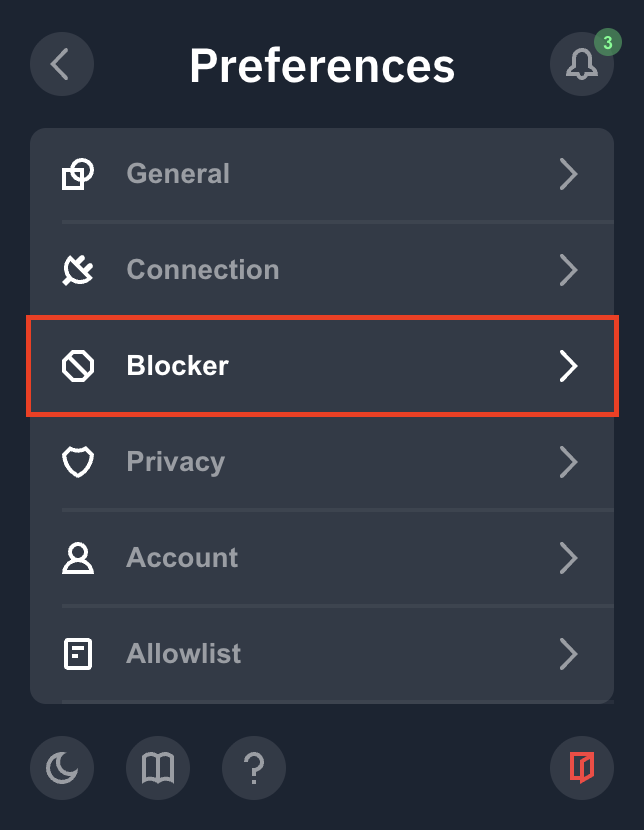
First step, go to the extension and click open Preferences (burger menu in top-left corner)

Second, scroll down the menu options and click "Blocker"
Lastly, toggle off the Ad Crusher option to disable it and just refresh your page
(the white toggle seen here is in the off position; a blue toggle indicates the on position)
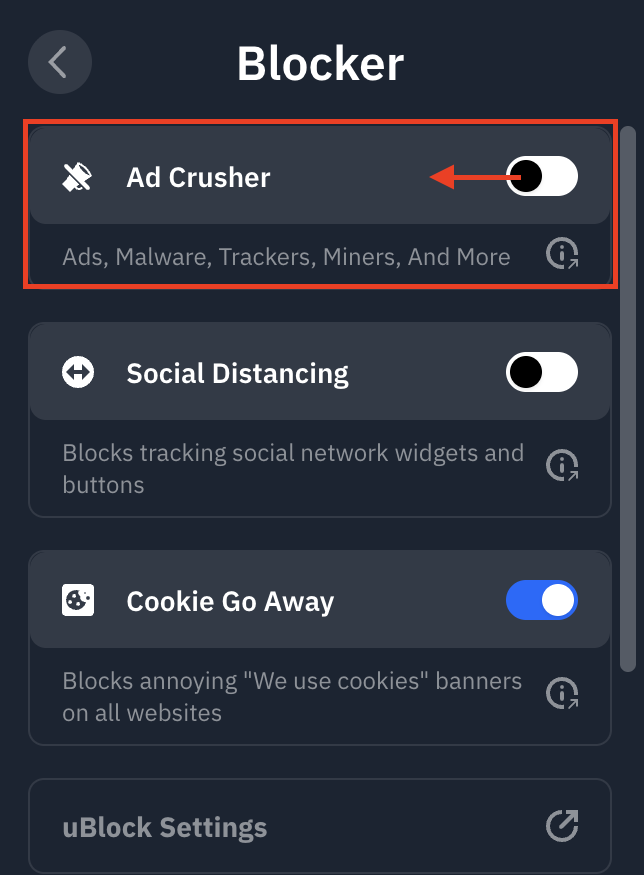
And you're all set! If you want, you can disable the Tracker Eradicator and Malware Evader toggles as well if you don't want any domain filtering at all.