

How to Set Up IP Pinning

Rebecca Rosenberg
Nov 26, 2025

IP Pinning lets you connect to the same IP address each time you connect to a specific location. It’s useful for services that don’t like new IPs every session, like banking or work dashboards.
Note: this feature is for Pro users and Build A Plan users (paid locations only)
How to enable it in the app:
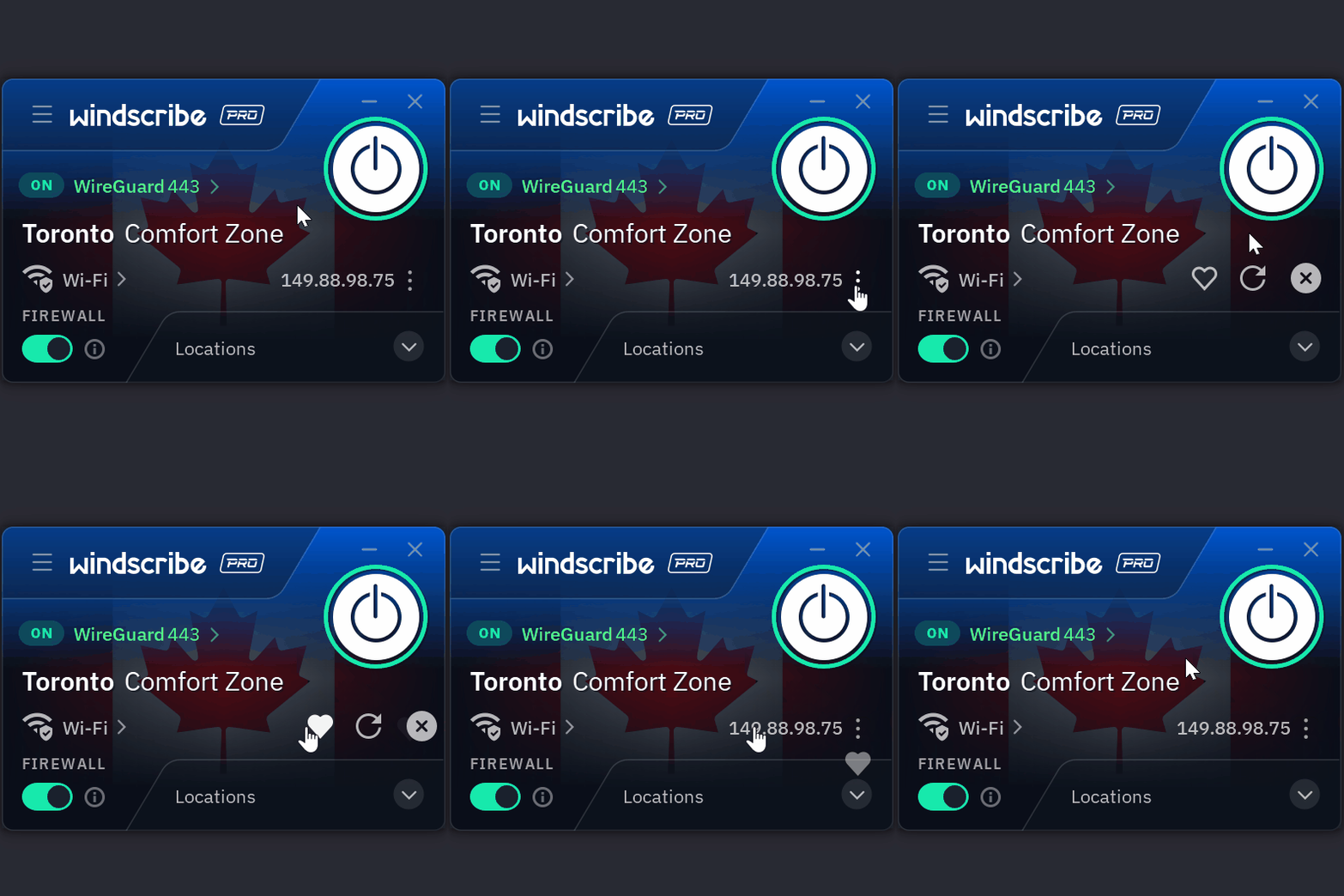
- While connected in the Windscribe app, click on the three dots next to your connected IP
- Click on the Heart icon
- Your IP is now pinned
Windscribe will do its best to reconnect you to that same IP each time.
Want more details? Read the full blog here.
Disclaimer: Pinned IPs are best-effort. If the IP is retired, you’ll need to pick a new one.